
October 30, 2025
Midterms are underway, homecoming banners are up, and somewhere between the registrar’s office and the cafeteria, next year’s budget requests are starting to pile up.
For integrators, that’s the signal to start talking digital signage. The screens in the student union, the wayfinding kiosk at the admissions center, and the emergency alerts in the residence halls students see in Fall 2027 will be prioritized and decided in the next few months.
The integrators who help campus teams build those requests now are the ones who install them next summer. Here’s how higher ed buys, and how to help your clients make a case their decision-makers can’t turn down.
How the higher ed buying cycle actually runs
Most colleges and universities run on a July 1 fiscal year. The academic calendar and the budget calendar move together:
- Fall: requests. Departments update capital and technology wish lists and submit them, often with pricing attached.
Your move: get scoping and budgetary pricing in their hands before the deadline.
- Winter: review. Budget offices, IT, and facilities rank requests against strategic priorities. Unranked means unfunded.
Your move: arm your champion with the outcomes that get ranked.
- Spring: approval. Boards and leadership finalize the budget for the fiscal year starting July 1.
Your move: be ready to quote and order the day funding lands.
- Summer: install. Campus empties out. This is the window for hardware, cabling, and configuration.
Your move: lock in crews and calendar time early.
- Fall: go-live. Students arrive to whatever got built.
Your move: turn one building into the reference that sells the next.
Public universities often add a state or system capital process for large projects. Private colleges set their own calendars and many budget off fall enrollment. Either way, a client who misses this fall’s deadline waits a full year, and so does your project.
Why this year's requests face a tougher room
Higher ed calls it the enrollment cliff, and it’s been top of mind on campus for years. The first class born after the 2008 recession is now college age, and there are fewer of them. The Western Interstate Commission for Higher Education projects the number of U.S. high school graduates will fall 13% by 2041. Even well-resourced schools are feeling it: Syracuse missed its fall 2026 undergraduate target and flagged a budget deficit as a result.
Small private colleges, especially tuition-dependent ones, feel it most. Large public universities have more levers to pull, but they’re watching the same numbers.
What that means for you: “nice to have” doesn’t survive a deficit year. Lead with screens and specs and you’ll lose to the next request in line. Lead with what the project does for enrollment, retention, safety, or cost, and you’re speaking the committee’s language. Campus signage answers all four.
Good news: campus signage answers all four.
Help your clients build a fundable request
Budget committees don’t fund screens; they fund outcomes. Help your client frame the request around these four, and get to know the campus office that owns each one. Those offices are your champions.
1. Recruitment: win the campus visit
Who to meet: admissions and enrollment management.
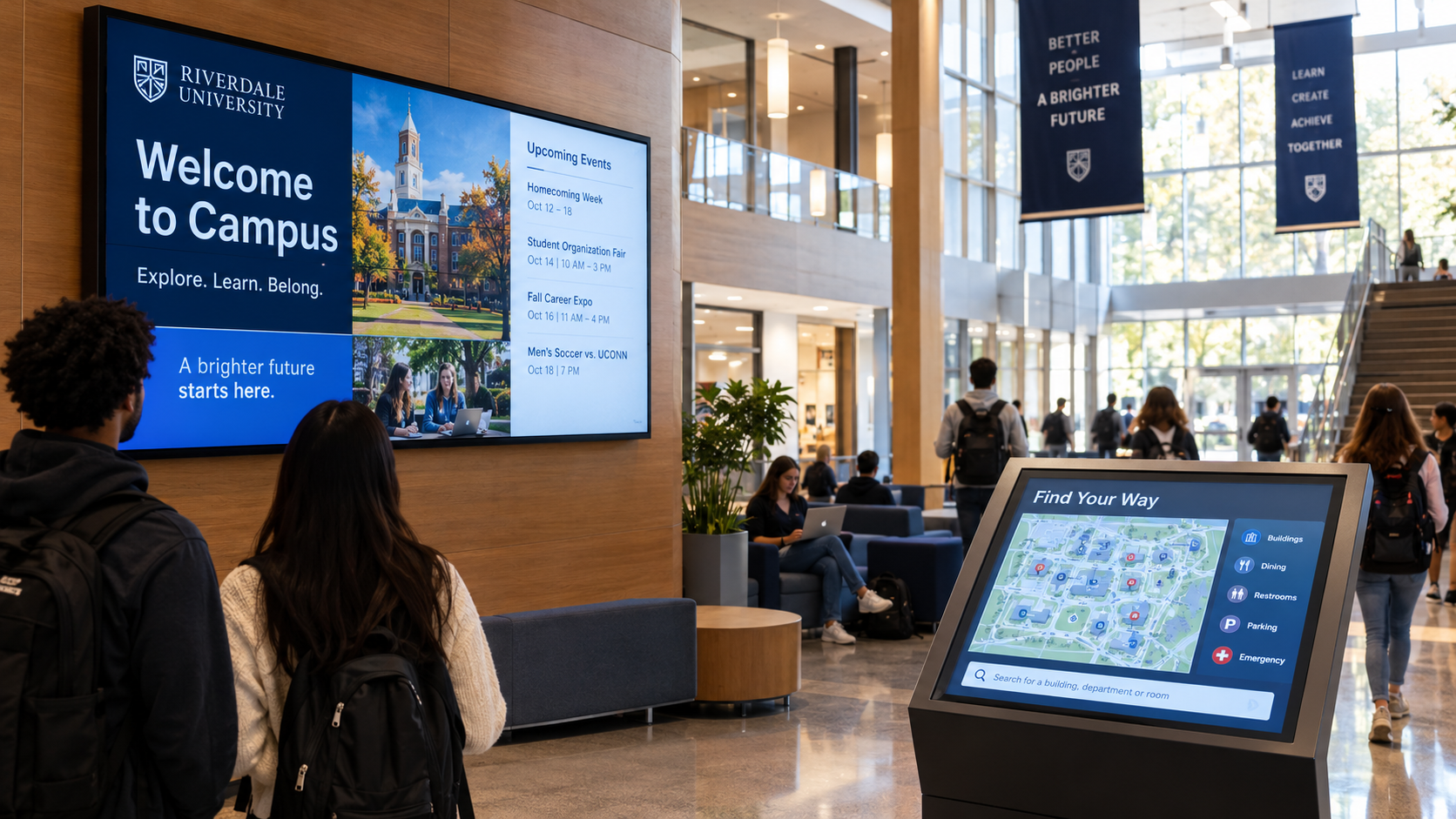
When there are fewer students to go around, the campus tour matters more. A family that gets lost between the welcome center and the dining hall remembers it, and the school slips behind a rival with better navigation. Interactive wayfinding, visit-day welcome screens, and live displays in the student union make a campus feel organized and alive before a tour guide says a word.
2. Safety: one message, every screen, in seconds
Who to meet: campus safety and emergency management.
Alerts can’t depend on someone logging into five systems during a lockdown or a severe weather warning. With emergency overwrite, one action pushes the same message to every display on campus at once: residence halls, lecture halls, libraries, rec centers, and stadiums. Any risk office understands that line item.
3. Accessibility: wayfinding that works for everyone
Who to meet: disability services and facilities.
Accessible wayfinding is an expectation. Interactive maps with accessible routes help students, families, and visiting faculty navigate sprawling campuses, construction detours included. AI Map File Creation and Map Studio cut the time it takes to update those maps each time a building opens or closes, which means less custom work for your team on every change.
4. Efficiency: end the screen sprawl
Who to meet: the CIO and central IT.
Most campuses didn’t plan their signage; it accumulated. Athletics bought one system, the library another, and residence life a third. The result is duplicate licenses, inconsistent branding, and an IT team supporting tools nobody chose. That sprawl is your opening.
Consolidating onto one platform fixes it. DX Pro™ manages every screen across every building from one place, with fleet monitoring so lean IT teams catch a dark display before a student does. It runs with the same features in the cloud or on-premises, so it clears institutional security and data policies. And it connects to the tools campus already uses, including Microsoft Teams, Outlook, Microsoft Places, Zoom, and Google Workspace.
For you, one platform means one standard to deploy, support, and expand, building after building.
Where it shows up across campus
One platform covers every building on the campus map. Here’s where colleges and universities usually start, and where your next phase comes from.
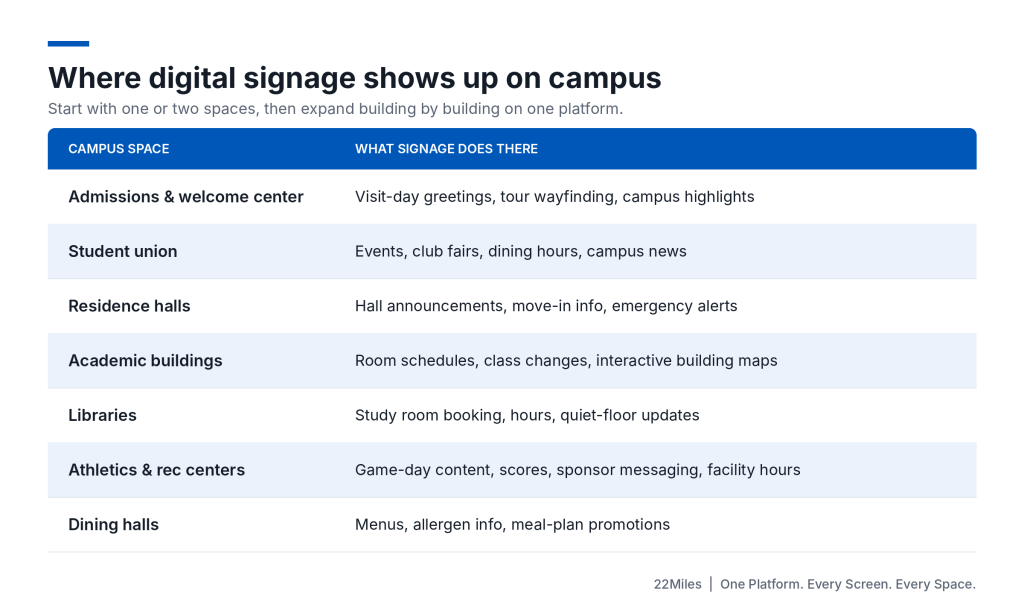
Start with one or two of these. Every successful building is the reference for the next one on the same platform.
Your playbook before your clients' requests are due
- Map your higher ed accounts: List every college and university client and prospect, their fiscal year, and their internal request deadline.
- Run a signage audit with them: Count screens by building, the software running them, who owns each, and how many are dark. Sprawl is the strongest argument you can hand a client.
- Find the cabinet-level sponsor: A request backed by the VP of enrollment, student affairs, or finance gets ranked higher than one from a single department. Help your contact get one.
- Bring central IT in early: Settle cloud or on-premises deployment and start security review before the request goes in, not after it’s approved.
- Deliver budgetary pricing that tells the whole story: Include content creation, training, and ongoing support, not just hardware and licenses. Committees trust requests with no surprises.
- Reserve the summer now: Install calendars fill early, and campus construction competes for the same window. Pencil in crews while budgets are still in review.
Organize your higher ed digital signage project opportunities:
Make the case while the window is open
The campuses that look ready in Fall 2027 are the ones writing their budget requests this month. The integrators who help them write those requests are the ones who get the install.
22Miles partners with integrators to scope, price, and justify campus-wide digital signage projects, from admissions wayfinding to residence hall alerts, on one platform. Bring us into your next higher ed conversation, and walk your client into budget season with a plan their cabinet can say yes to.
Talk to our team to start building your 2027 higher ed pipeline now.