
June 10th, 2026
If you’re an X2O Media customer, you already know the news: X2O and its parent company RDM have shut down. Permanently. No transition plan. No support team. No roadmap. The platform your organization built its digital communications around is no longer operational — and every day you wait is a day your screens, your workflows, and your communications infrastructure are at risk.
This isn’t a situation where you have time to run a lengthy evaluation. But you do deserve to land somewhere better than where you started.
22Miles DX Pro™ is the enterprise visual experience platform that X2O customers have been looking for — built for enterprise-scale digital signage deployments, with more capabilities, more integrations, more deployment flexibility, and an active development roadmap that actually moves. This guide explains exactly what you’re getting, why it matters, and how to make the move.
What the X2O Shutdown Means for Your Organization
The X2O and RDM shutdown is not a pause, a pivot, or an acquisition. It is a permanent closure. What that means practically for organizations still running X2O:
- No security updates or vulnerability patches. Your deployment is frozen at its last version, indefinitely
- No bug fixes. Any issues you encounter now have no resolution path
- No support tickets. There is no team to call, escalate to, or open cases with
- No integrations maintenance. As connected platforms (Microsoft, Zoom, Google) update their APIs, X2O connections will break with no one to repair them
- No new features. The innovation gap between X2O and modern platforms will only grow
With X2O fully shut down, you have no security patches, no bug fixes, no support escalation path, and no future development. Running unsupported enterprise software is an operational and security risk. The sooner you migrate, the better protected your organization is.
Other vendors are already running aggressive campaigns to capture displaced X2O customers. Some will offer fast migrations and low introductory pricing — but not all migration destinations are created equal. Before you move, it’s worth understanding what a truly enterprise-grade replacement looks like.
Introducing 22Miles DX Pro™: The Enterprise Visual Experience Platform
22Miles has been building enterprise digital communications infrastructure for organizations like Tampa International Airport, University of Alabama, and Splash Sports Bar. DX Pro is the latest, and most powerful, release of that platform.
Most organizations running X2O were managing digital signage as one piece of a broader communications stack with separate vendors for wayfinding, video walls, and room scheduling. DX Pro unifies all of it. One login. One dashboard. One support relationship. One platform that grows with your organization.
Everything You Had in X2O And Everything You Were Missing
DX Pro delivers the core digital signage capabilities X2O users depend on, and adds the depth, intelligence, and integrations that X2O was never able to provide:
- Digital Signage CMS — schedule and publish content across every display, with playlist workflows, mass scheduling, and multi-site screen grouping
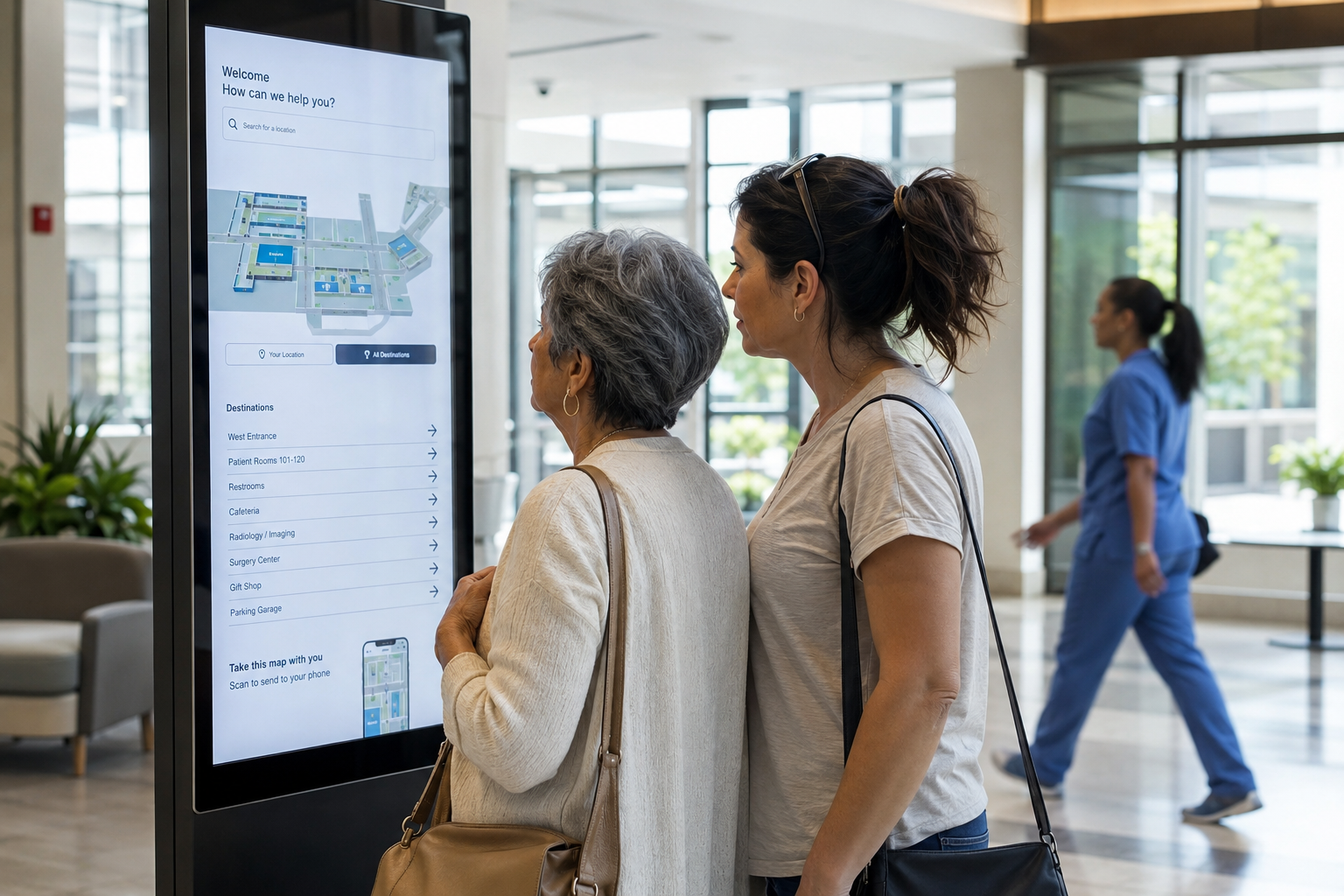
- Dynamic Wayfinding — browser-based Map Studio for editing room names, routes, and directories — no software install, no IT ticket required
- Video Walls — ultra-high resolution video walls, LED ribbons, and multi-touch displays managed from the same dashboard as your signage
- Room Booking — native space scheduling integration, no separate platform needed
- Device & Fleet Management — self-service licensing, remote player updates, offline alerts, and real-time device health — across every site
- Emergency Alert Override — push a message to every screen in your network, manually or through integrated alerting systems — in seconds
- Governance & Access Control — user roles, group permissions, and multi-level content approval workflows for enterprise-scale deployments
What’s New in DX Pro: Capabilities X2O Never Had
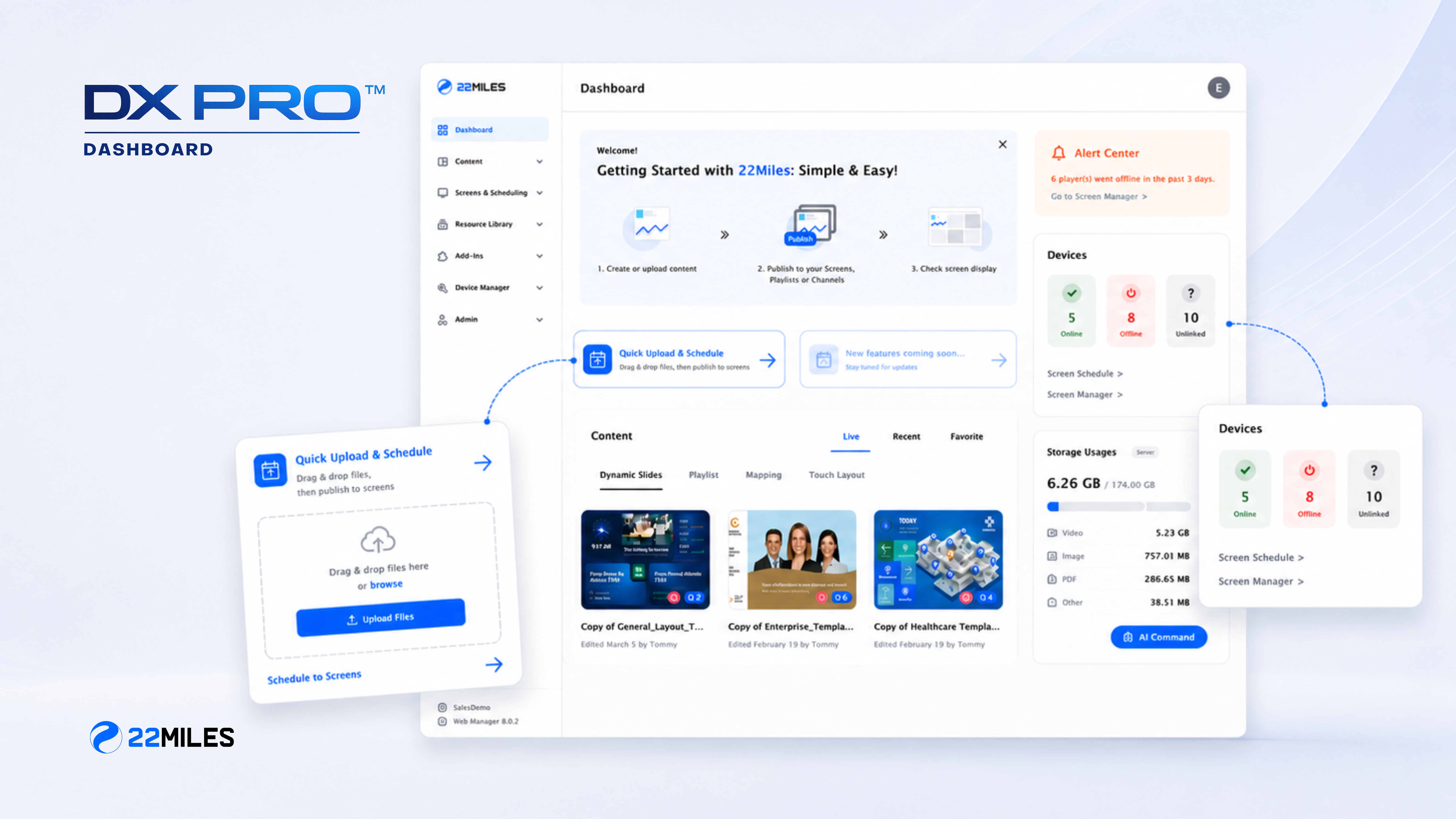
DX Pro is not just feature parity with what X2O offered. It’s a generational leap forward. Here are the capabilities that will change how your team works from day one.
AI-Powered Content Creation
The AI Template Designer turns plain-language prompts into production-ready, on-brand signage content — directly in the browser. Describe what you need (a lobby welcome screen, a safety reminder, an event announcement), and the system generates an editable, branded layout. No design team required. No external tools. No file uploads.
For organizations that struggled with X2O’s content workflow or relied heavily on outside agencies for signage design, this is a significant operational upgrade.
AI Map File Creation for Wayfinding
Deploying wayfinding on a new floor or building has historically meant weeks of map preparation. DX Pro’s AI Map File Creation changes that: upload a floor plan image or PDF and the system converts it into an editable SVG wayfinding map. Your team focuses on room names, routes, and directories — not file formatting or vendor dependencies.
Enterprise Integration Depth
X2O’s integration ecosystem was limited and is now completely unmaintained. DX Pro offers certified, actively maintained integrations with:
- Microsoft Places — real-time space utilization data surfaced on signage and wayfinding
- Zoom Enterprise — Zoom Marketplace-certified integration for room displays and meeting status
- Microsoft Teams, Outlook & SharePoint — calendar-driven content, room booking sync, corporate communications feeds
- Google Workspace — Google Calendar integration for room displays and scheduling
- 100+ AV and enterprise hardware partners — including Crestron, Poly, Neat, BrightSign, iAdea, Bluefin, Shuttle, and Microtouch
- Cisco — integration with Cisco room systems and collaboration infrastructure for unified workplace communications
Cloud or On-Premise: You Choose
One of the most common concerns for organizations migrating off X2O is the deployment model, especially for industries with strict data governance or security requirements. DX Pro is one of the only enterprise visual experience platforms in the market offering full-feature parity across both deployment options:
- Cloud — Hosted, managed, and auto-updated. Zero infrastructure overhead. Ideal for multi-site organizations that want maximum agility and minimum IT burden.
- On-Premise — Installed behind the client’s firewall with government-grade cyber patching support — monthly, quarterly, or bi-annual. Dedicated government SKU available. Built for federal agencies, healthcare systems, and organizations where data sovereignty is non-negotiable.
Built for Your Industry — Not Just Any Screen
X2O served primarily corporate environments. DX Pro is purpose-built for the full range of enterprise verticals — which means your implementation is supported by actual product development, not workarounds.
- Corporate & Workplace — digital signage, room booking, interactive wayfinding, and Microsoft 365 + Zoom integration in a single platform built for a modern workplace experience
- Healthcare — on-premise deployment for data sovereignty, patient-facing wayfinding, emergency alert capabilities, and compliance-ready architecture
- Education — campus-wide signage, room scheduling, event publishing, and AI-assisted content management for distributed teams
- Government — on-premise gov SKU, cyber patching support, role-based access controls, and mass emergency alert capabilities
- Transportation & Airports — real-time data feeds, dynamic departure/arrival displays, video wall management, and multi-site fleet control
- Hotels, Venues & Hospitality — lobby experiences, event wayfinding, and guest-facing signage managed without technical staff
Frequently Asked Questions: X2O Migration to 22Miles
Considering switching to 22Miles? Here are some frequently asked questions to prepare you for a live demo.
How long does migration typically take?
Migration timelines vary by deployment size and complexity, but 22Miles has a structured onboarding process designed to get you operational quickly. Our team will work with your IT and AV stakeholders from day one to map your existing content, infrastructure, and integration requirements to DX Pro’s architecture.
Read more about our deployment process: How to Keep Digital Signage Installations on Track: Insights from 22Miles’ Product Delivery Specialist
Can I keep my existing hardware?
In most cases, yes. DX Pro supports a wide range of commercial display hardware and media players, including many of the same devices X2O supported. Your 22Miles onboarding team will conduct a hardware compatibility assessment as part of the migration process.
What happens to my existing content and playlists?
Your content assets (images, videos, data feeds) are portable. While X2O-native playlist structures won’t transfer directly, 22Miles provides migration support to rebuild and often improve your content workflows within DX Pro’s CMS. The AI Template Designer also makes recreating branded content significantly faster than starting from scratch.
Is DX Pro a good fit if we need on-premise deployment?
Yes, and it’s one of DX Pro’s clearest differentiators. Full-feature on-premise deployment with government-grade cyber patching is available, including a dedicated government SKU for federal agencies, healthcare systems, and organizations with strict data sovereignty requirements.
What integrations will we need to rebuild?
DX Pro offers certified, maintained integrations with Microsoft Places, Zoom Enterprise, Microsoft Teams, Outlook, SharePoint, Office 365, and Google Workspace — covering the most common enterprise integration needs. If your X2O deployment had custom data integrations, the 22Miles team will assess those during scoping.
Don’t Let the X2O Shutdown Define Your Next Platform
The X2O shutdown is disruptive — but it’s also a rare opportunity to move from a platform that was standing still to one that is actively investing in AI, enterprise integrations, and the capabilities modern organizations need.
22Miles DX Pro brings together enterprise-scale digital signage, dynamic wayfinding, large array video walls, custom design services for immersive multi-touch experiences, room booking, and device management in a single platform — cloud or on-premise, with the integrations your team already relies on and the AI-powered tools that will change how you create and manage communications at scale.
The best X2O alternative isn’t the fastest migration. It’s the right one. Make the move to a platform that will still be innovating for you five years from now.
Book a personalized DX Pro demo and we’ll show you exactly how 22Miles maps to what you had in X2O and what you’ve been missing.